How Andre Avoids “Modified” in Eaglesoft Progress Notes

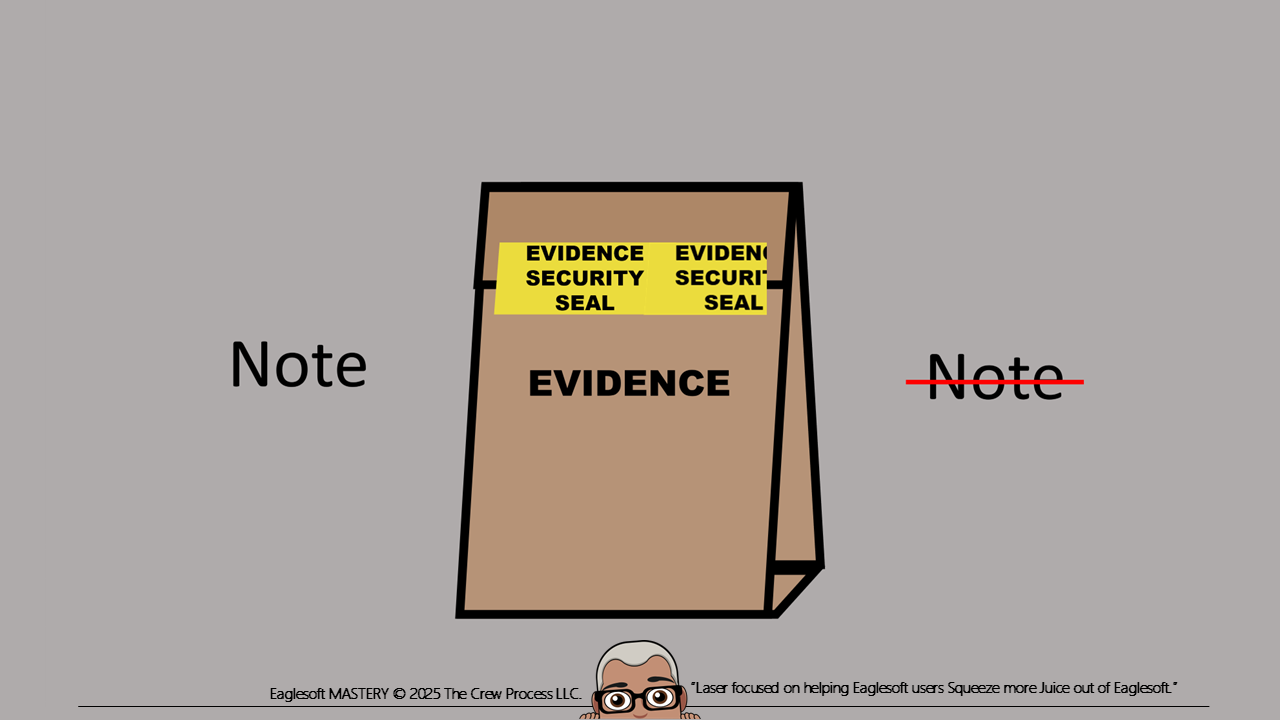
Technically, the minute you save a Note in Eaglesoft, it should be considered “locked”. The Health Insurance Portability and Accountability Act (HIPAA) consider any changes after a “Save” a modification/edit, or, as Eaglesoft marks it, “Modified”. By default, Eaglesoft filters out Deleted (this includes Modified) Notes from the Notes History view.
A key factor of Electronic Medical Record integrity is tracking Modifications. Starting in Eaglesoft Version 21, the "Save" button has the same impact as the End of Day (EOD) processing did in previous Versions of Eaglesoft. Just like “paper charts”, the original note is "Struck Through" and stays in the record for legal review.
The Save button acts like the Security Evidence Seal that law enforcement uses to collect evidence at a crime scene. Once sealed, it can’t be tampered with without being noticed. If the security seal is even ripped a bit, there becomes skepticism for the continuity of the evidence.
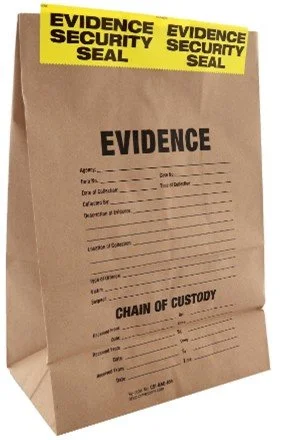
For modern Practice Management Software, there are, and should be, no ways around this. If you open a Note to better “read” it, it’s best to click Close to escape from the Note or you will create a new version of the Note.
Eaglesoft Version Updates and impact on Modifications:
Eaglesoft v23.10+ - When you click Save the Notes "lock"
Eaglesoft v23.00 - When you click Save the Notes "lock"
Eaglesoft v22.00 - When you click Save the Notes "lock"
Eaglesoft v21.30 - When you click Save the Notes "lock"
Eaglesoft v21.00 - When you click Save the Notes "lock"
Eaglesoft v20.00 - When you click Save the Notes "lock"
Eaglesoft v19.00 - When you Process EOD the Notes "lock"
Eaglesoft v18.00 - When you Process EOD the Notes "lock"
My continued suggestion is that Notes be written contemporaneous of procedure and then saved. After that, you should write Addendums to those Notes. Many offices prefer to review notes and make changes/corrections, check for spelling, accuracy and to make sure nothing is missed in Notes before the EOD. This is admirable but, a “modification” in a note could raise suspicions of some type of tampering or malintent in a legal proceeding.
Example:
Original Note: "Patient tolerated treatment well but had severe bleaching at the injection site"
New Note: "Patient tolerated treatment well but had severe blanching at the injection site"
The original Note would be struck through and hidden. Modified original Notes typically hidden as part of the Notes History filter but may be visible if not set to be hidden. The original Modified Note is considered “Deleted” but is actually never removed from Notes History.
If the original Note was changed to something like: "Patient tolerated treatment TERRIBLY AND GRABBED MY THROAT DURING THE PROCEDURE and had severe blanching at the injection site". That kind of modification would be a little hard to explain in arbitration and even harder in front of a jury. Remember that if the office receives a subpoena for the Patient Record, you will have to provide the entire record, including the modifications in the Notes History. The biggest problem is that the Modifications show. Just not the “why” there was a modification. NEVER edit or modify the Patient Record AFTER you have received a subpoena.
One of my favorite suggestions is to modify Security Profiles to block access to editing and deleting a Patient Note. Found in the Patient Records Security Zone called “Edit Patient Notes” and “Delete Patient Notes”. The other is to block editing/deleting other Providers Notes found in the Patient Records Security Zone called “Edit Patient Notes by Other Providers” and “Delete Patient Notes by Other Provider”.
Here are some of my other suggestions for creating Notes post Version 20:
If you want to "amend" a note, create an Addendum. A separate Notes that "amends" the original note without editing it.
Create multi-part Notes: a. Procedural Note and b. Narrative/Comment Note.
Example:
Note A is: Pnt presented for a crown, anesthesia was XYS and Placed cord and Shade was Z1 took 1 PA.
Then come back later and..
Note B is: Pnt tolerated procedure well, because of the surrounding teeth I decided to use shade Z1/X2 and she to Toothmaker lab. Correction: We took 2 PAs one of which missed apices and was discarded.
The following information is from my Progress Notes book “CREWED Progress” available at this link: Buy The CREWED Progress Notes Digital Download Book — THE CREW PROCESS
Where records cannot be written contemporaneously, ensure this is clearly documented as a “Late Entry”. Where records were found to include error, this should be clearly documented as a “Correction to Previous Note”.
Addendum: An Addendum is a new Note added to Notes History as a Chart Note and should supply additional information that was omitted from or not available at the time the of original entry and is written only if the user documenting has total recall of the omitted information. When adding an addendum, include “why” the addendum was necessary.
Example: Addendum following 3/6/2021 treatment of resin #18. The shade A3 was not noted in the original note."
Example: Addendum following 3/6/2021 treatment of resin #18. After dismissal the patient informed us that he had been having sensitivity on the UL for 2 days prior to treatment but had not disclosed this information during the health history review."
Correction: A Correction should be made by editing the original Note stating the reason for correction referring back to the original entry. The original Note will be hidden (by default the note is hidden but may be visible with a line struck through it keeping the original entry legible). The Correct Note will become a new Note added to Notes History as a Chart Note.
When generating a hard copy of a Corrected Notes, both records must show the correction.
Example: “Correcting following 3/6/2021 treatment of resin #18. The shade A3 was noted in the original note when completing the Laboratory slip the corrected Shade is A4."
Example: “Correction: After notes were completed, we discovered that our computers date was incorrect. Actual notes were completed on XX/XX/XXXX.”
Late Entries: Enter Late Entries on the current date and time – do not attempt to give the appearance that the entry was made on a previous date or an earlier time. Identify or refer to the date and circumstance for which the late entry or addendum is written. When making a late entry, document as soon as possible. There is no time limit for writing a late entry; however, the longer the time lapses, the less reliable the entry becomes.
Example: Late Entry following 3/6/2021 treatment of resin #18. Because treatment extended beyond the expected timeline, this note was entered the day following treatment. [enter normal Progress Notes here]"
Late Entries, Addendums, or Corrections are legitimate occurrences in documentation. A Late Entry, an Addendum, or a Correction, must be made on the current date of that entry and should not be back dated. Any Late Entry, Addendum, or Correction can create the perception of being self-serving, and perhaps even fraudulent. The reason for the Late Entry, Addendum of Corrections should be clear and transparent.
From a practical point of view, I don't see the need to go back “simple” mistakes. On review no one would think twice about a Note containing “newmonia” vs pneumonia. But on review, someone would question a notation that your chart notes have been "Modified". One is a mistake, and the other is an act of alteration of an Electronic Medical Record. Turn on Spell Check. Use "better" Autonotes. Talk with the person making those mistakes. They might not know the difference.
Again, under no circumstances should a user add to or correct a patient’s chart after receiving a demand for compensation or notice of legal proceedings.
DISCLAIMER:
This document is made available by Andre Shirdan and provides general information related to dental treatment progress notes. It is designed to help users cope with their own treatment documentation. This document is not intended to provide legal or claim submission advice. Although Andre has gone to great lengths to make sure the information is accurate and useful, we recommend you consult a lawyer if you are seeking legal advice. In no event will the creator of this document be liable for loss of profits or special, indirect, or consequential damages. No action relating to obligations here under may be brought by the reader or author more than one year after the occurrence of the event giving rise to any cause of action. The information and suggestions contained in the structure of this document have been developed from sources believed to be reliable. However, the writer accepts no legal responsibility for the correctness and completeness of this material and its application to specific factual situations.