How Andre Moves Production from One Doc to Another for a Re-do in Eaglesoft

Question:
If our doctor wants to replace a filling at no charge, repost the filling in a Walkout and charge $0 at walkout? We want the service to show in the chart history. The original filling on this tooth was charged to insurance less than two years ago.
Answer:
If this a “No charge modification of the previous defective restoration” my advice is not to use the ADA Code but to create an Admin ("in-house") code for this kind of treatment. I have a Service Code with the description "RESIN RESTORATION - MODIFICATION" that I use whenever these kinds of procedures get done. It has a $0 fee and is marked NOT to submit to insurance for reimbursement.
This is not an "ADA Service" it is a "follow-up" procedure that the office is doing and not charging for Palliative Care or an Emergency visit, or a new Restoration. This "fixing” a service was already done. I would not use the Office Visit for Observation Codes. By the code definition, that would be inappropriate. It clearly states in the code "no other services performed" so the code would not match the "service" when you enter a description like "replacing a filling".
Question:
How do I “flip” production when Dr A does a filling, but Dr B has to redo the filling. How do I give the production to Dr B for the redo?
Answer:
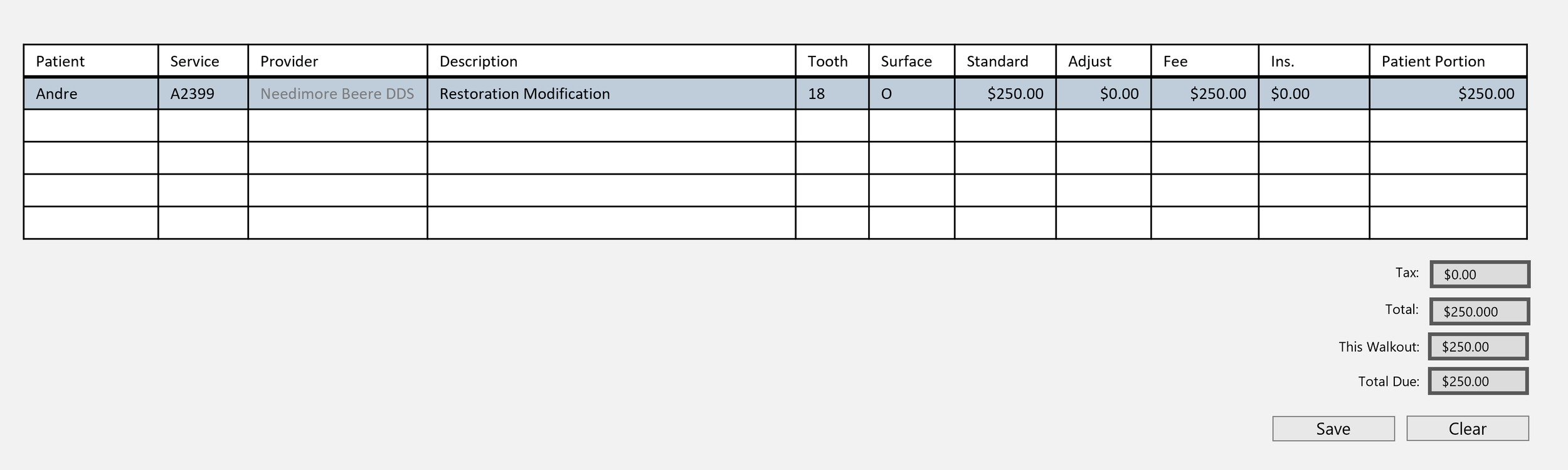
1. Walk out the Admin Code Restoration Modification (shown above) to for the amount of the original Production with Dr B as the Provider (as in your example).
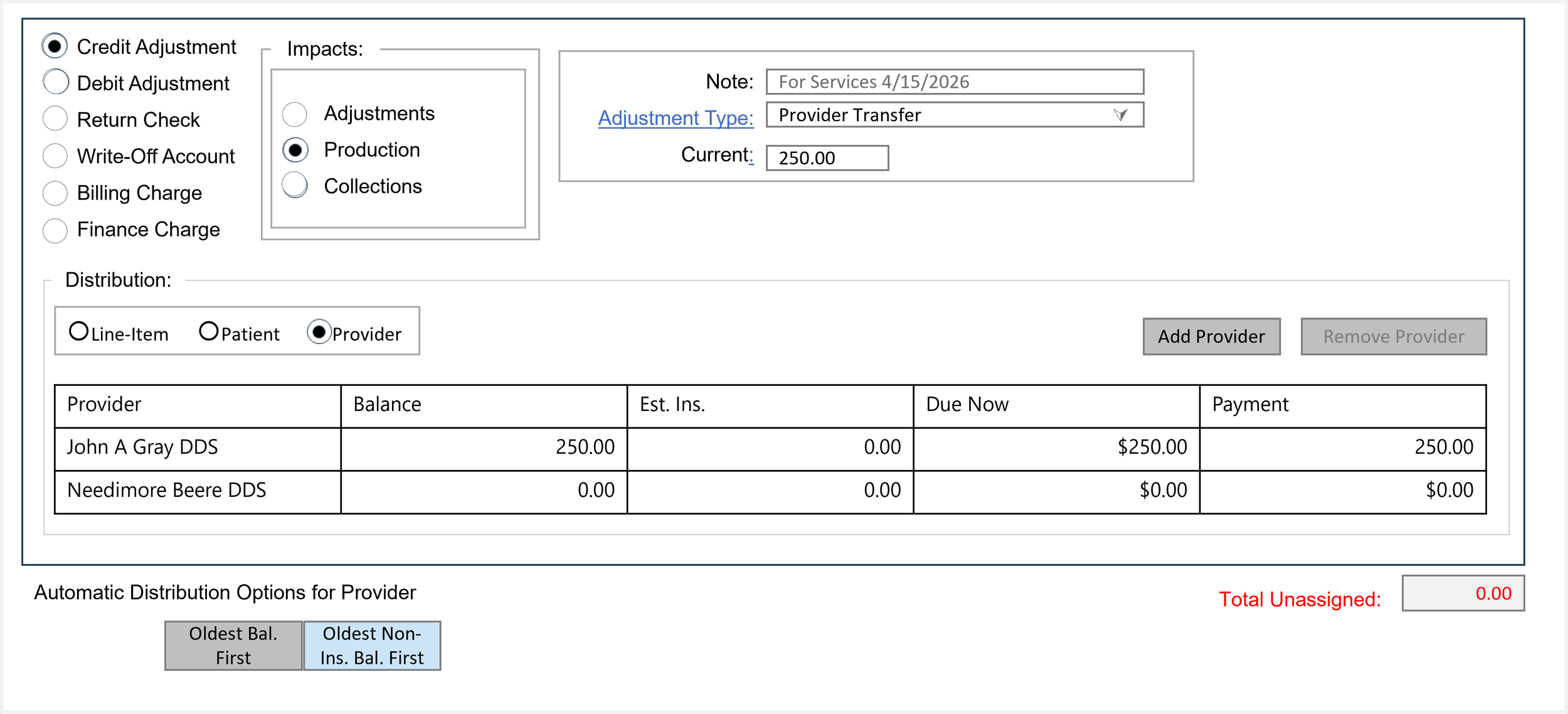
2. Do a Credit (Decrease) Adjustment Type (I have created on called "Transferred Provider") that impacts Production posted to Dr A (in your example).
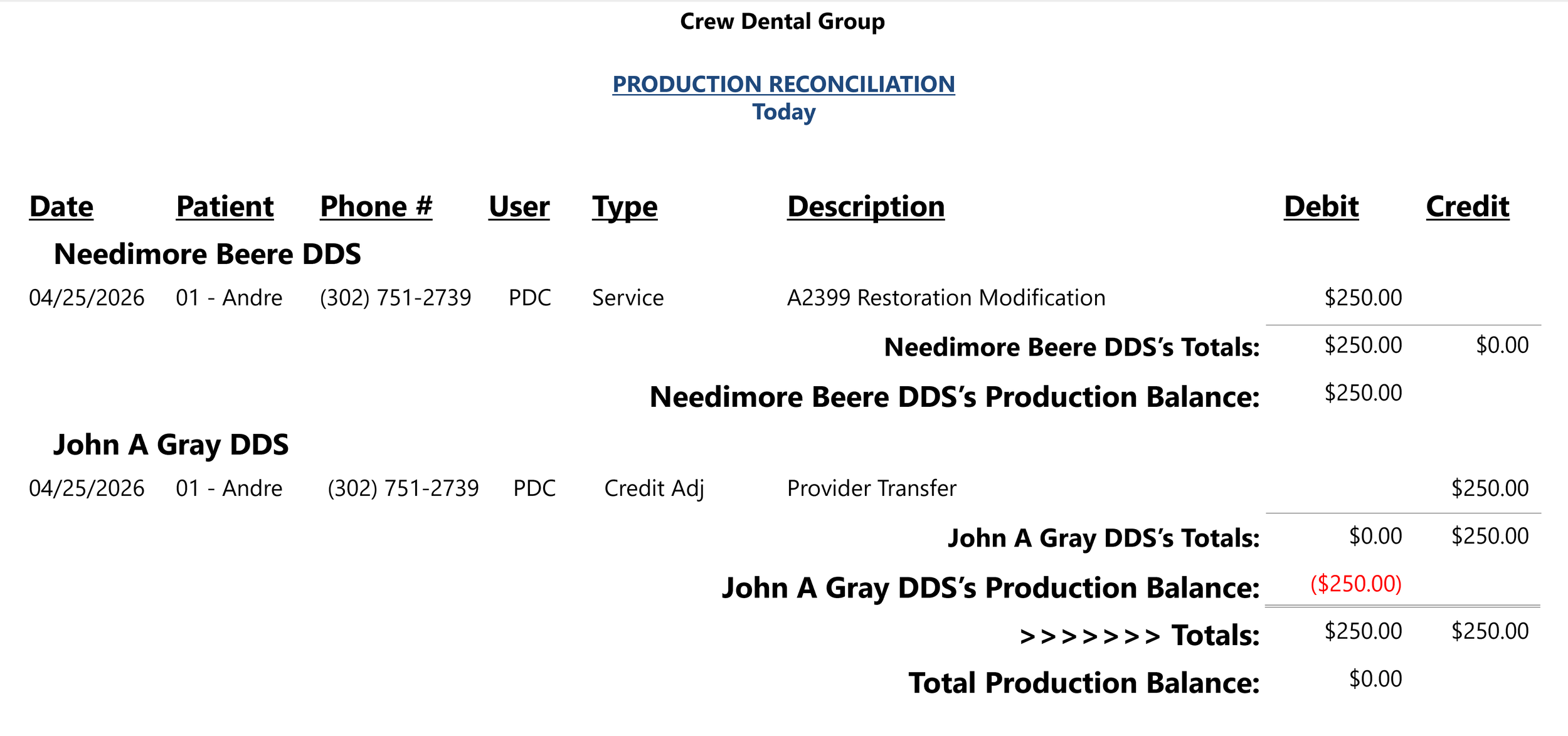
The Production reports for the day will reflect that this removes Production from Dr A and shows Production for Dr B. Doing this has no impact on historical Production.
DISCLAIMER:
This is a resource guide and all decisions on each dental office setup should remain the sole decision of the dentist/owner of the practice. Eaglesoft is a registered trademark of Patterson Dental Company. All other software or products mentioned are the property of their respective owners. Although Andre Shirdan was an employee of Patterson Dental, he is not associated with Eaglesoft or Patterson Dental Company or endorsed by Patterson or any other Company Mentioned in this blog. Although I have gone to great lengths to make sure the information is accurate and useful, I recommend you consult a lawyer if you are seeking legal advice.
In no event will the creator of this document be liable for loss of profits or special, indirect, or consequential damages. No action relating to obligations here under may be brought by the reader or author more than one year after the occurrence of the event giving rise to any cause of action. The writer accepts no legal responsibility for the correctness and completeness of this material and its application to specific factual situations.