Andre’s Exploding Codes for Eaglesoft

What is an Exploding Code?
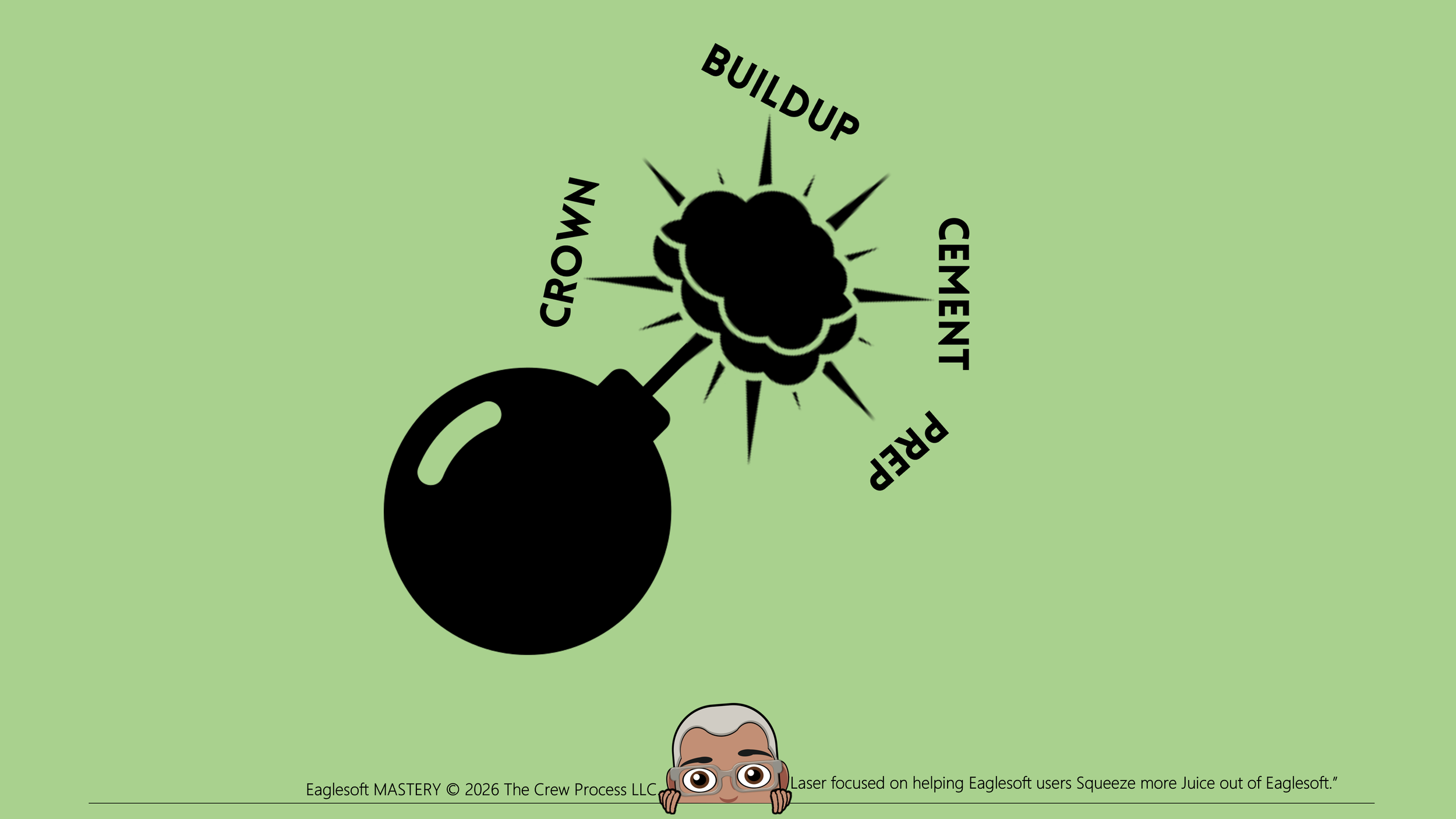
An Exploding Code (EC) is a five-digit code that can be used to represent a series of commonly grouped Service Codes (SC). Think about an Exploding Code as a fast food “value meal”. Instead of saying “I’ll have a cheeseburger, fries and a Coke” you just say “I’ll have a number 1”.
A great example of this would be a Crown. The individual SCs used in the Phases of a lab fabricated Crown:
- D2740 – Crown Preparation
- D2950 – The Buildup
- A2998 – The Cementation
To create a Treatment Plan for that Crown, the user would have to enter the 3 SCs above. With an EC, an Eaglesoft user can “bundle” those three SCs together as an EC.
Example of a Crown EC:
How can I use an EC?
In the example above, I have done two things to make use of the EC easier. The first is to put a period in front of the EC itself. That alphabetically puts the EC at the top of my ADA Code sorted SC list and well as the Service Code sorted list. Second is adding a period to the Description. The period in front of the description puts the EC at the top of the drop-down list of the Quick Pick button drop down list.
ECs are great for both Charting and for Treatment Planning.
Can tooth numbers or Quadrants be preassigned to ECs?
No. Sorry. That’s not an option.
Can I edit the order of Service Codes in an EC?
No but you can delete the EC and re-create it in the order you want.
Can I edit an Exploding Code (the actual Code) after it’s been saved?
You can NOT edit the code itself after it is saved. Delete it and create it the way you wanted it to be.
Can I make an EC for a Bridge?
Yes. If you want to create an EC for a traditional 3-unit bridge with Abutment, Pontic then Abutment, you can. If the bridge has two pontics, you might consider creating a second 4-unit Bridge EC with Abutment, Pontic, Pontic, Abutment. I would even consider creating one for a Maryland Bridge to make charting easier when you encounter one. Tip: Do not select the tooth first. Click the EC, then enter the tooth numbers as the code windows open.
Can I get a list of all my Exploding Codes?
Yes. Print the Detailed Exploding Codes Master report.
Can I put Service Codes in an order so that their abbreviations in order in the Appointment Notes?
So Example 1
The Order of the Service Codes in the Exploding Code are:
Exam
Bitewings
Prophy
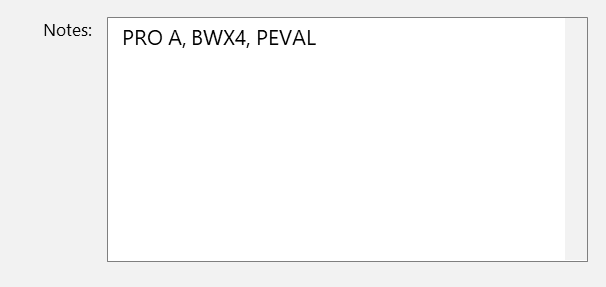
In the Appointment Notes it list as Prophy. BW, Exam. Looks reversed but not really. The "first" code (exam) is in first then "pushes over to make room for 2nd code (BW), then the 3rd code Prophy.
Example 2
The Order of the Service Codes in the Exploding Code are:
Prophy
Bitewings
Exam
In the Appointment Notes it list as Exam. BW, Prophy.
What are the most common ECs I’ve created:
ECs for Recare visits. They are perfect for scheduling Next Visits in Hygiene. I like making ECs for each scenario. Recare with and without imaging. Here some of my Exploding Codes:
RCA - Recall Adult (Exam, Prophy)
RCAX - Recall Adult with BWs
RCAF - Recall Adult with FMX
RCC - Recall Child (Exam and Prophy)
RCCX - Recall Child with BW
RCFX - Recall Child with Fluoride and BW
RCCF - Recall Child with Fluoride NO BWs
.RCA = Recare Adult Visit
D0120 EVALUATION - PERIODIC ORAL - ESTABLISHED PATIENT
D1110 PROFESSIONAL CLEANING – ADULT
A1206* FLUORIDE - TOPICAL VARNISH (optional)
A4110* PERIODONTAL CHARTING (optional)
.RCA4 = Recall Adult Visit with 4 Bitewings
D0120 EVALUATION - PERIODIC ORAL - ESTABLISHED PATIENT
D0274 IMAGING - BITEWINGS - 4
D1110 PROFESSIONAL CLEANING – ADULT
A1206* FLUORIDE - TOPICAL VARNISH (optional)
A4110* PERIODONTAL CHARTING (optional)
.RCAF = Recall Adult Visit with FMX
D0120 EVALUATION - PERIODIC ORAL - ESTABLISHED PATIENT
D0210 IMAGING - FULL MOUTH DIAGNOSTIC (18)
D1110 PROFESSIONAL CLEANING – ADULT
A1206* FLUORIDE - TOPICAL VARNISH (optional)
A4110* PERIODONTAL CHARTING (optional)
.RCC = Recall Child (<14yrs old) Visit
D0120 EVALUATION - PERIODIC ORAL - ESTABLISHED PATIENT
D1120 PROFESSIONAL CLEANING – CHILD
D1208 FLUORIDE - TOPICAL VARNISH (optional)
.RCC2 = Recall Child (<14yrs old) Visit with 2 Bitewings
D0120 EVALUATION - PERIODIC ORAL - ESTABLISHED PATIENT
D0272 IMAGING - BITEWINGS - 2
D1120 PROFESSIONAL CLEANING – CHILD
D1208 FLUORIDE - TOPICAL VARNISH (optional)
.RCT4 = Recall Teen (<14yrs old) Visit with 4 Bitewings
D0120 EVALUATION - PERIODIC ORAL - ESTABLISHED PATIENT
D0274 IMAGING - BITEWINGS - 4
D1120 PROFESSIONAL CLEANING – CHILD
T1208 FLUORIDE - TOPICAL VARNISH (optional)
.NPA = New Patient Adult Visit
D0150 EVALUATION - COMPREHENSIVE - NEW/REENTERING
D1110 PROFESSIONAL CLEANING – ADULT
A1206* FLUORIDE - TOPICAL VARNISH (optional)
A4110* PERIODONTAL CHARTING (optional
.NPAX = New Patient Adult Visit with FMX or Panoramic
D0150 EVALUATION - COMPREHENSIVE - NEW/REENTERING
D0210 IMAGING - FULL MOUTH DIAGNOSTIC
D1110 PROFESSIONAL CLEANING – ADULT
A1206* FLUORIDE - TOPICAL VARNISH (optional)
A4110* PERIODONTAL CHARTING (optional
.RPCE = Root Canal, Post and Crown (Existing)
D3330 ROOT CANAL THERAPY – MOLAR
D2954 POST AND CORE – PREFABRICATED
D2740 CROWN - PORCELAIN/CERAMIC SUBSTRATE
.RBC = Root Canal, Build Up and Crown
D3330 ROOT CANAL THERAPY – MOLAR
D2950 BUILDUP CORE - INCLUDING ANY PINS
D2740 CROWN - PORCELAIN/CERAMIC SUBSTRATE
*These are my Admin Code detailed here and my Fluoride Admin Codes detailed here.
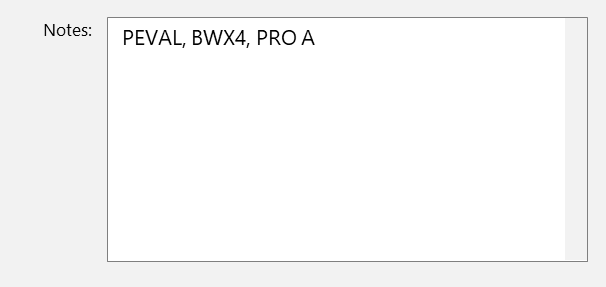
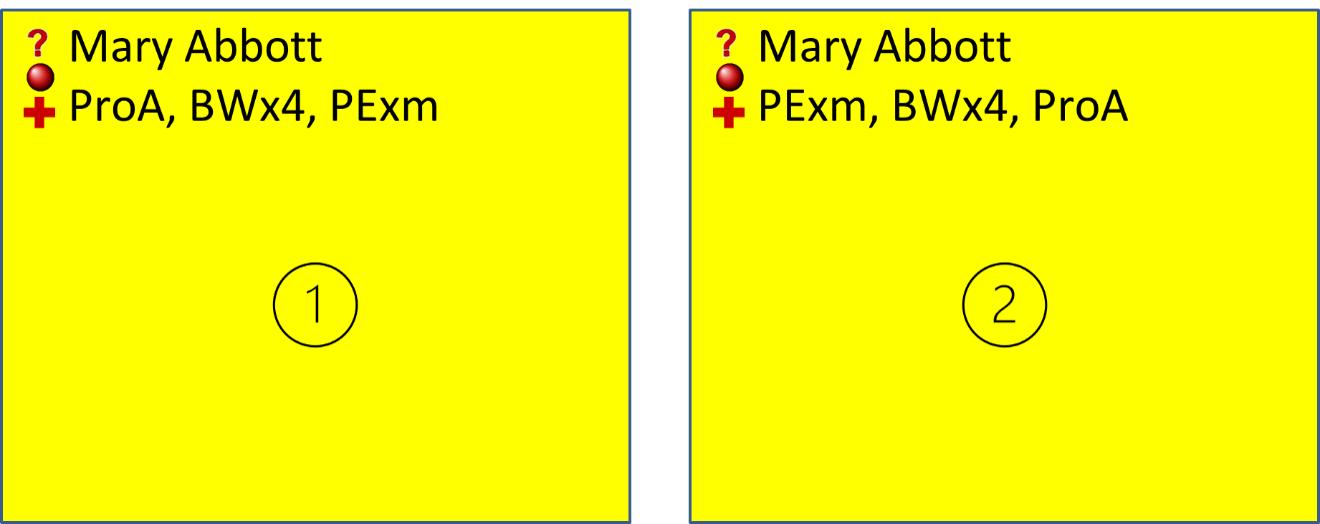
One of my pet peeves is that the order you enter an EC into Eaglesoft is opposite what will show on the Schedule. Let me explain:
The Order of the Service Codes in this Exploding Code example is Exam, Bitewings, Prophy.
In the Appointment Notes it lists as Prophy. BW, Exam. See Example 1 below. Looks reversed but not really. The "first" code (exam) is in first then "pushes over to make room for 2nd code (BW), then the 3rd code Prophy. In Example 2 the order of the Service Codes in the EC is: Prophy, Bitewings, Exam
In the Appointment Notes it lists as Prophy. BW, Exam.
Do you have Examples of other ECs you have used?
Yes, here are some other Examples:
.E2I = .Extraction to Implant Treatment Plan
D7140 - EXTRACT - ERUPTED/EXPOSED TOOTH
D6104 - IMPLANT - GRAFT - BONE - AT PLACEMENT
D6010 - IMPLANT - BODY [FOR NON-REMOVABLE]
D6011 - IMPLANT - HEALING CAP (STAGE 2)
D6057 - IMPLANT - ABUTMENT – CUSTOM
D6058 - IMPLANT - CROWN - A-SUPPORTED PORC
.DENT .Denture Treatment Plan
D5110 - DENTURE - UPPER
D5120 - DENTURE – LOWER
A5994 - DENTURE/PARTIAL - D2 IMPRESSION HYDRO
A5995 - DENTURE/PARTIAL - D3 VERTICAL DIMENSION
A5996 - DENTURE/PARTIAL - D4 WAX BITE/BLOCKS
A4997 - DENTURE/PARTIAL - D5 TRY-IN
A5998 - DENTURE/PARTIAL - D6 DELIVERY
A5410 - DENTURE - ADJUSTMENT - POST INSERT (N/C)
A5410 - DENTURE - ADJUSTMENT - POST INSERT (N/C)
A5410 - DENTURE - ADJUSTMENT - POST INSERT (N/C)
A5410 - DENTURE - ADJUSTMENT - POST INSERT (N/C)
.ALIGN - .Aligner Treatment Plan
D8660 - PRE-ORTHODONTIC TREATMENT VISIT
D0330 - IMAGING – PANORAMIC
D0350 - IMAGING - ORAL / FACIAL IMAGING - 2D
D0470 - LAB - DIAGNOSTIC CASTS
D9950 - OCCLUSION ANALYSIS-MOUNTED CASE
D8090 - ORTHO - ALIGNERS FULL | MILD-SEVERE
A8997 - ORTHO - CLINCHECK/REFINEMENT CONSULT
A8670 - PERIODIC ORTHODONTIC TREATMENT VISIT
A8670 - PERIODIC ORTHODONTIC TREATMENT VISIT
A8670 - PERIODIC ORTHODONTIC TREATMENT VISIT
A8670 - PERIODIC ORTHODONTIC TREATMENT VISIT
A8670 - PERIODIC ORTHODONTIC TREATMENT VISIT
A8670 - PERIODIC ORTHODONTIC TREATMENT VISIT
A8670 - PERIODIC ORTHODONTIC TREATMENT VISIT
A8670 - PERIODIC ORTHODONTIC TREATMENT VISIT
A8670 - PERIODIC ORTHODONTIC TREATMENT VISIT
A8670 - PERIODIC ORTHODONTIC TREATMENT VISIT
A8670 - PERIODIC ORTHODONTIC TREATMENT VISIT
A8670 - PERIODIC ORTHODONTIC TREATMENT VISIT
A8998 - ORTHO - FINISH ALIGNER TREATMENT
.CBU = .Crown with Buildup
D2740 - CROWN - PORCELAIN/CERAMIC [LAB]
D2950 - CORE BUILDUP
A2998* - CROWN - CEMENTATION – FINAL
A0220* - IMAGING - INTRAORAL - PA DURING TX
Tammy Bair-Riner, who is an AWESOME Certified Patterson Technology Advisor (“Trainer”) out of Florida, suggested an EC to chart existing and proposed items more efficiently.
.A2C - .Amalgam to Composite Replacement
D2150 - AMALGAM RESTORATION - 2 SURFACE
D2392 - RESIN RESTORATION - POSTERIOR - 2 SURF
The beauty of this EC is you select a tooth in the Chart with an Amalgam. You select the EC, and it opens to chart the exiting Amalgam, then immediately, the Composite window opens to chart the Proposed replacement. The same format can be used to create an EC for Amalgam to Crown. Composite to Crown or any other Existing to Proposed the practice sees often. It’s important that Smart Codes are set up properly for these ECs to work properly.
DISCLAIMER:
This is a resource guide and all decisions on each dental office setup should remain the sole decision of the dentist/owner of the practice. Eaglesoft is a registered trademark of Patterson Dental Company. All other software or products mentioned are the property of their respective owners. Although Andre Shirdan was an employee of Patterson Dental, he is not associated with Eaglesoft or Patterson Dental Company or endorsed by Patterson or any other Company Mentioned in this blog. Although I have gone to great lengths to make sure the information is accurate and useful, I recommend you consult a lawyer if you are seeking legal advice.
In no event will the creator of this document be liable for loss of profits or special, indirect, or consequential damages. No action relating to obligations here under may be brought by the reader or author more than one year after the occurrence of the event giving rise to any cause of action. The writer accepts no legal responsibility for the correctness and completeness of this material and its application to specific factual situations.